Body Visualizer

A realistic male or female body at your height and weight, next to your goal. Free, no signup.

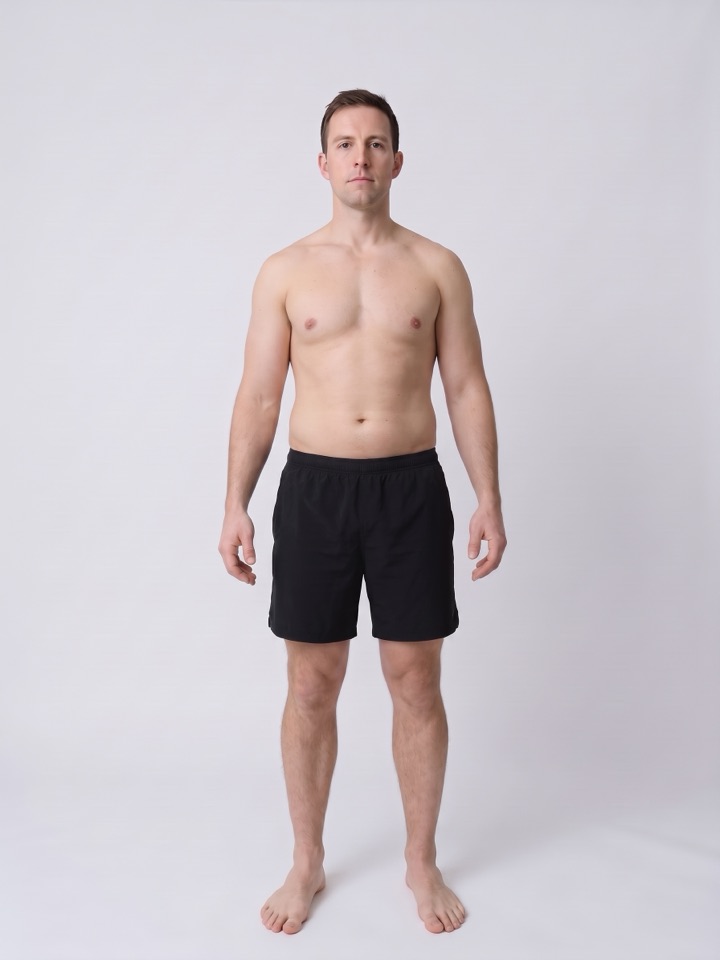
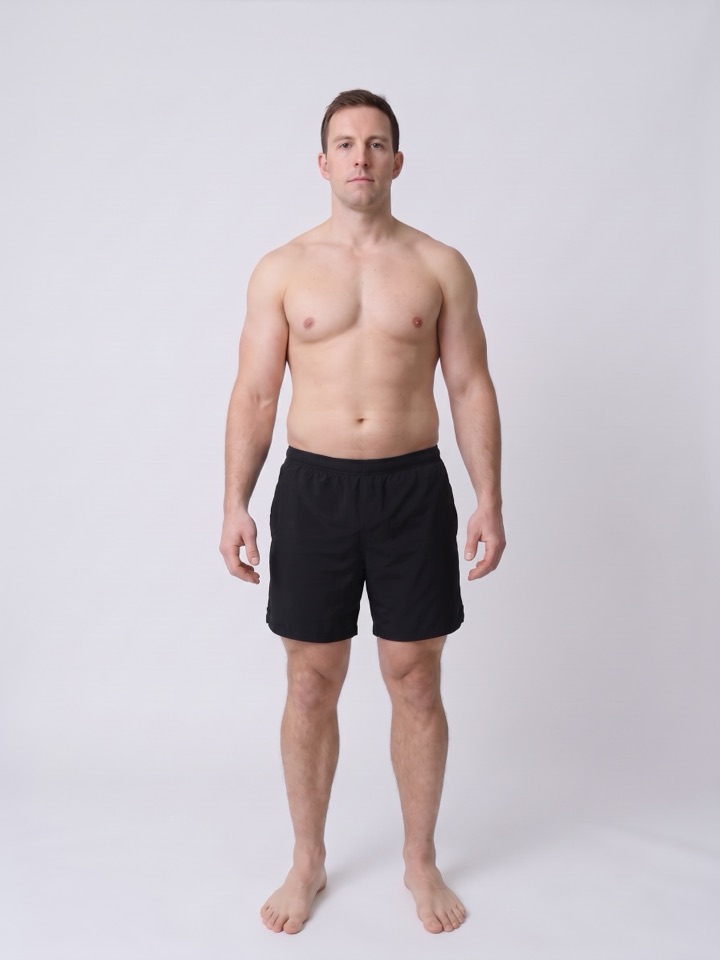
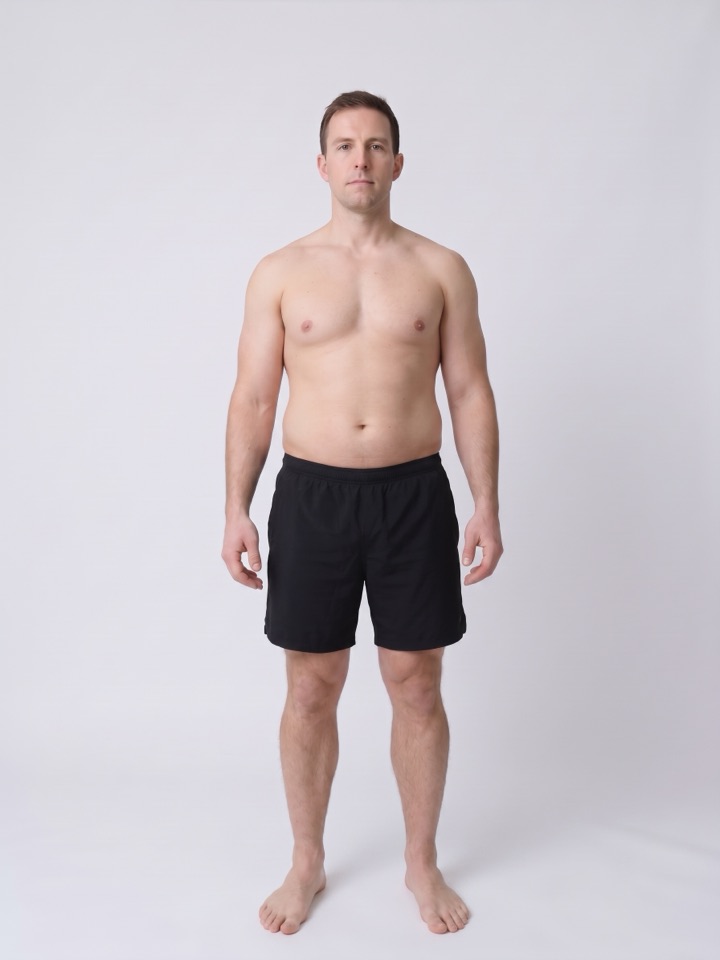
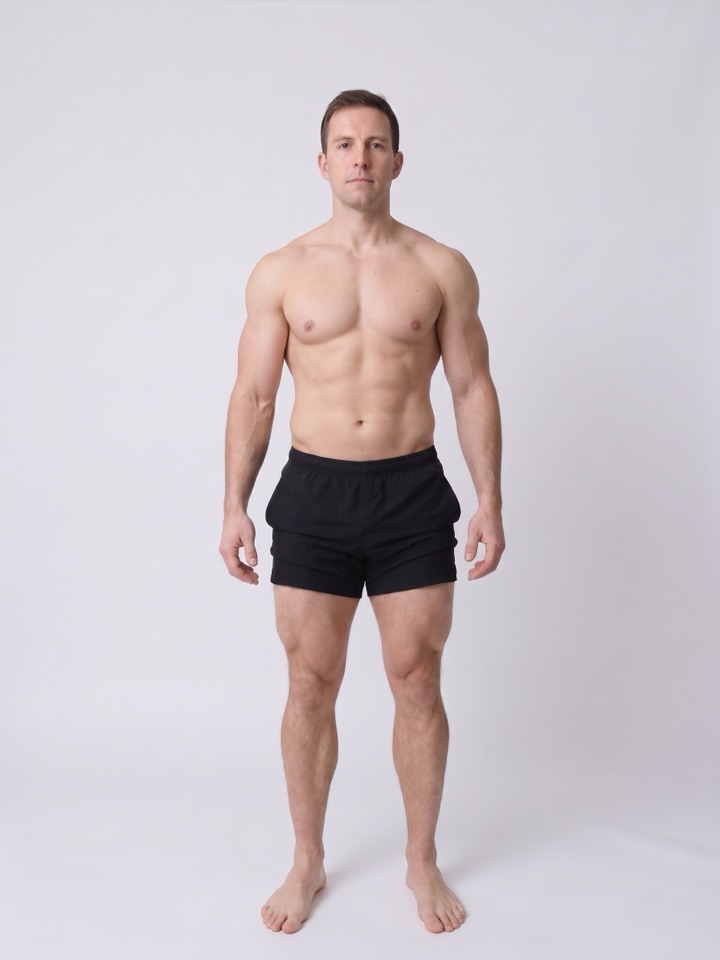
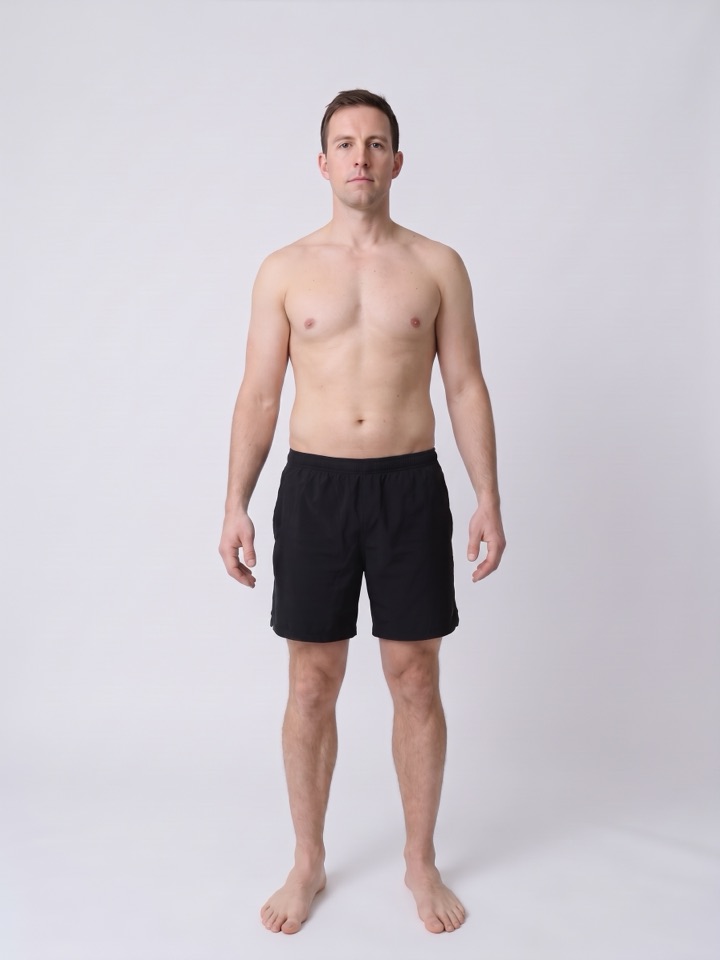
Man at 178 cm and 80 kg, average build, BMI 25.2 Now
Goal

Body
Units
cm

Adults, 4′7″–7′1″ · 140–215 cm

kg

Healthy: 59–79 kg

Build same weight, different body
Build
Know your body fat or waist?
%
cm

Either one picks the closest build. The waist estimates body fat with the Relative Fat Mass formula. How to measure

kg
Goal build
Show the goal
    Scan my real bodyFree X-Ray · Physicly for iPhone

    That’s an average body at your numbers. One photo shows yours, muscle by muscle.

    Rate your real body from a photo →

    What is a body visualizer?

    A body visualizer, also called a body shape, BMI or weight visualizer, draws a human body from a few numbers, usually height and weight, so you can see what that size looks like. The Physicly Body Visualizer shows a photorealistic man or woman at your BMI, lets you change the build at the same weight, and puts a goal body next to, or over, the current one.

    By · Updated

    Same weight, three bodies.

    • Lean build at a BMI of 27 Lean~18% fat
    • Average build at a BMI of 27 Average~23% fat
    • Muscular build at a BMI of 27 Muscular~13% fat

    BMI 27 for all three. The scale can’t tell them apart.

    Why do two people with the same weight look different?

    Because the scale weighs everything together. Fat is less dense than muscle (roughly 0.9 kg per liter against about 1.06), so a kilogram of fat takes more space, and it collects in different places from person to person. Two people at 5 ft 10 in and 180 lb can have waists several inches apart.

    That is why the Build control exists, and why a photo says more than a number. If you suspect your weight is “normal” but your shape isn’t, our guide Am I skinny fat? walks through four checks you can do at home.

    In the Physicly app

    From an average body to yours.

    The visualizer draws a typical body for your numbers. The app works from photos of you.

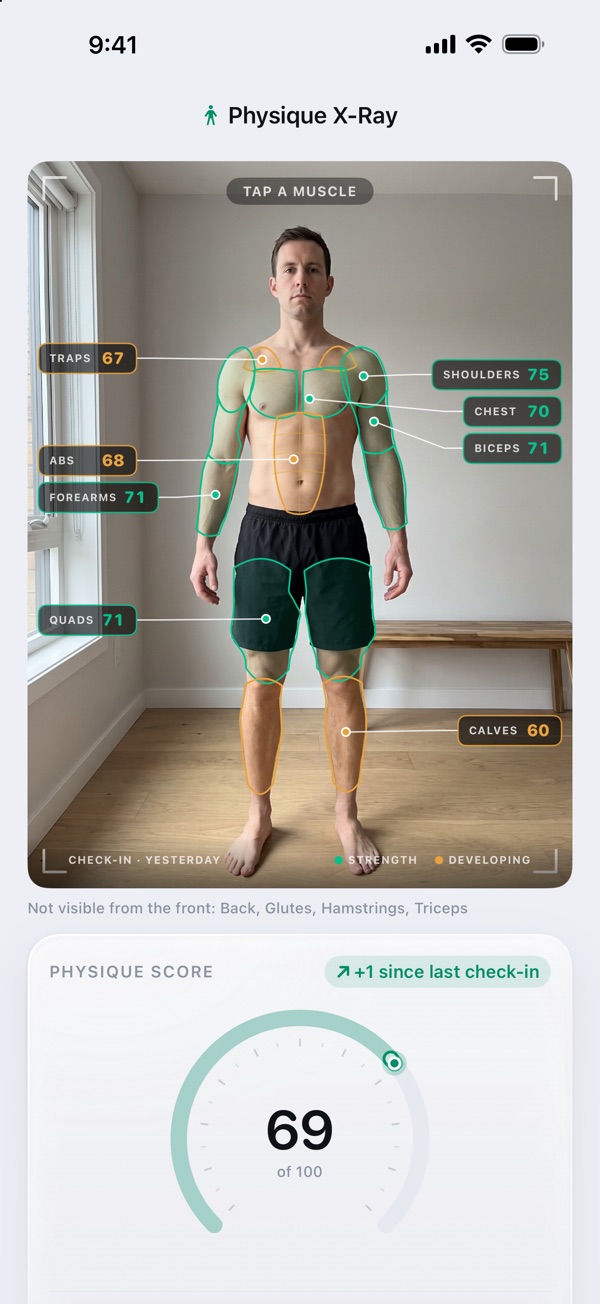
    1. Take a progress photo and the AI X-Ray scores every muscle group and estimates your body fat. Your baseline X-Ray is free.

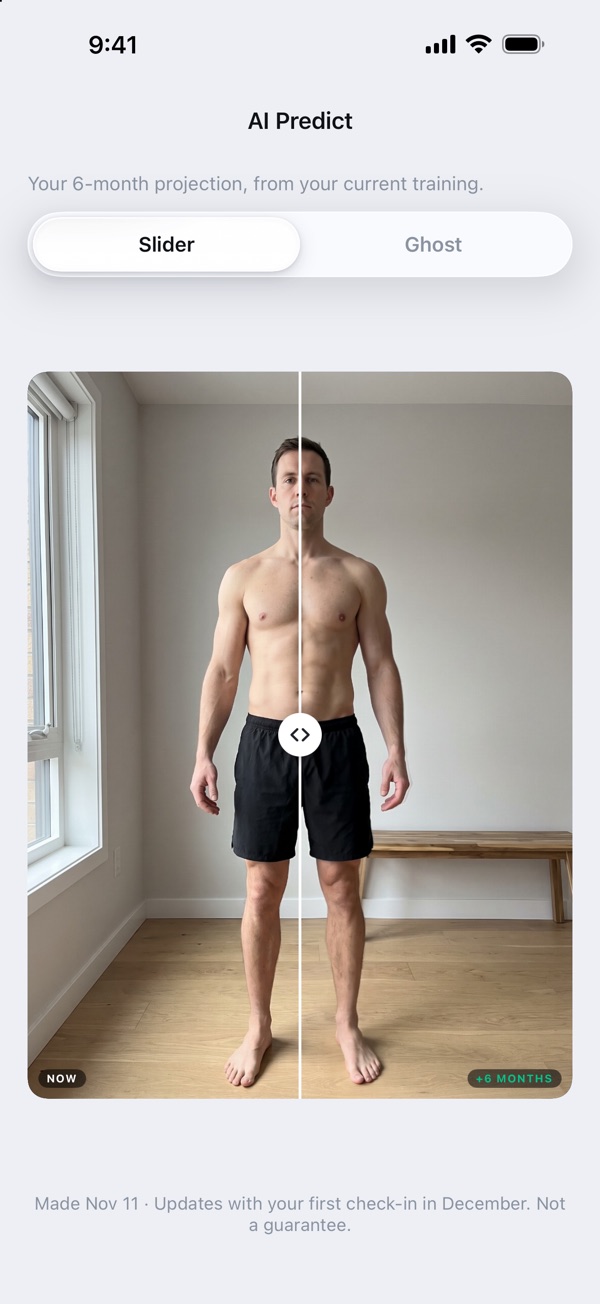
    2. AI Predict turns your photo and your training plan into a picture of you six months out, with a slider from today to then.

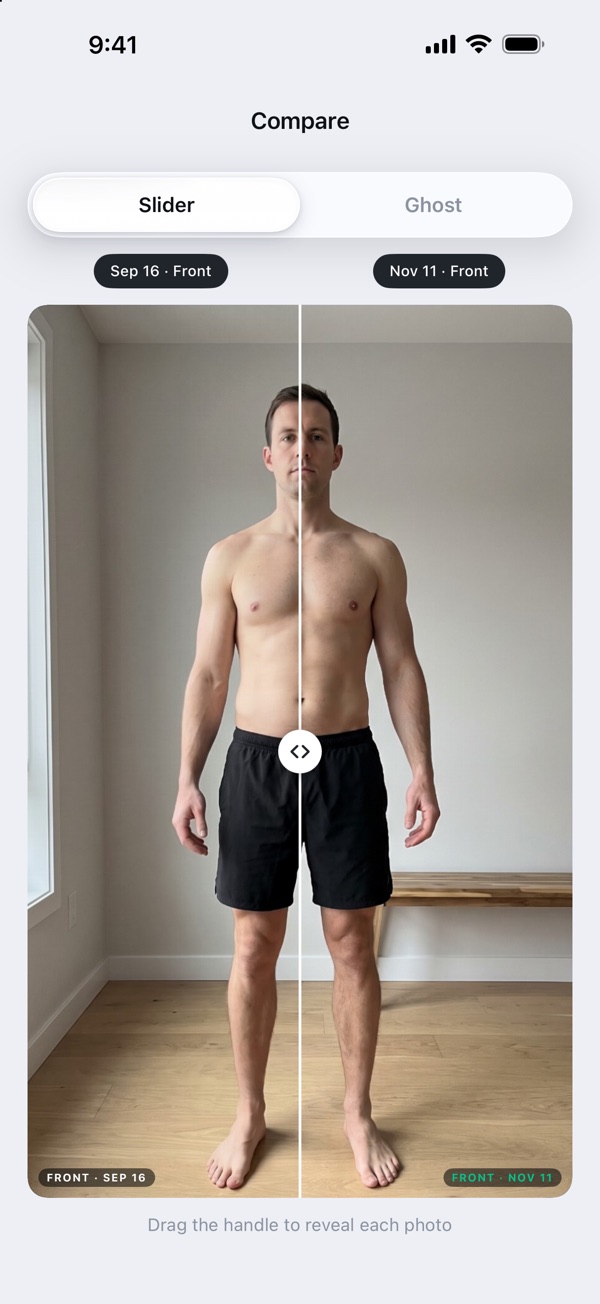
    3. One check-in a day. Put any two days side by side and see what grew, not only what the scale says.

    Physique X-Ray: twelve muscle groups scored on a check-in photo AI Predict: today and six months from now on one slider Compare: the first check-in and today side by side

    BMI 17 to 38, nine bodies.

    Tap one to see it at your height.

    1. 17
    2. 19.5
    3. 22
    4. 24.5
    5. 27
    6. 29.5
    7. 32
    8. 35
    9. 38

    Is BMI right for people who lift?

    Not on its own. BMI is weight divided by height squared, so it can’t separate muscle from fat. A lifter at 5 ft 10 in and 190 lb has a BMI of about 27, which BMI calls overweight, even at a low body fat. The healthy range the tool shows (BMI 18.5 to 24.9) is a population guide, not a verdict on your body.

    For people who train, body fat percentage and how your shape changes over time are better signals. Here is how accurate body fat scanner apps really are.

    Where to measure shoulders, chest, waist, hips and inseam

    How do you measure chest, waist, hips and shoulders?

    Use a soft tape, snug on the skin but not pressing in, and measure relaxed, after breathing out.

    Shoulders
    Around the widest point of both shoulders, arms relaxed at your sides.
    Chest
    Around the fullest part of the chest, under the armpits, tape level across the back.
    Waist
    Around the narrowest point, usually just above the belly button.
    Hips
    Around the widest point of the hips and glutes, feet together.
    Inseam
    From the crotch to the floor along the inside of the leg, standing straight, barefoot.

    Measured the same way every few weeks, these numbers track real change. Our guide on how to track muscle growth shows how to read tape, lifts and photos together. Use your waist in the visualizer ↑

    How to use the body visualizer

    1. 01Pick the body and the units. Choose female or male, then US units (feet, inches, pounds) or metric (centimeters, kilograms).
    2. 02Enter your height and weight. Type your height and your current weight, or drag the sliders. The picture changes to a body at that BMI as you go.
    3. 03Set the build. Choose Lean, Average or Muscular, type your body fat percentage, or enter your waist to estimate it. The weight stays the same; the body changes.
    4. 04Slide lighter or heavier. Drag the weight slider to see the same person lighter or heavier at your height. The shaded part of the track is the healthy weight range.
    5. 05Compare with a goal. Switch on Goal, set a goal weight and build, and view both bodies side by side or the goal as a ghost over your current body.

    How does this body visualizer work?

    The pictures show one man and one woman, each at nine body sizes from a BMI of 17 to 38 and in three builds, always in the same pose and light, so only the body changes. Everything else runs in your browser: nothing is uploaded and nothing waits for a server.

    BMI picks the picture. Your height and weight give a BMI, and the tool shows the closest of the nine sizes. Move the weight slider and the picture steps to the next size as you cross it.

    Build decides what that weight is made of. At the same weight, more lean mass means less fat. Average shows the typical body fat for your BMI (from the Deurenberg formula, for an adult around 30), Lean shows less fat, Muscular clearly more muscle. Type your body fat percentage and the tool picks the build closest to it.

    Your waist can estimate body fat. Enter a waist measurement and the tool estimates body fat with the Relative Fat Mass formula (height divided by waist), then shows the closest build.

    What changes between the male and female model?

    They start from different base bodies. The male model has broader shoulders, a narrower pelvis and stores extra fat mostly around the belly. The female model has a wider pelvis, more fat on the hips and thighs at the same body fat, and a higher healthy body fat range, which is why the body fat field accepts different values for each.

    What can’t a body visualizer show you?

    Your body. Any visualizer, this one included, draws an average body for the numbers you give it. It can’t know where you personally store fat, how developed each muscle group is, your posture or your frame. Treat the result as a reference, not a forecast.

    To see your actual shape change, you need pictures of you, taken the same way each time. We compared the best progress photo apps for iPhone if you want to start.

    Body visualizer questions

    Something else? Write to [email protected].

    Is there a free body visualizer that looks realistic?

    Yes. The Physicly Body Visualizer is free, needs no signup and shows a photorealistic man or woman at your height and weight instead of a 3D mannequin. You can switch the build between lean, average and muscular at the same weight, enter your body fat or waist, and compare your body with a goal.

    What would I look like at my goal weight?

    Enter your height and current weight in the Physicly Body Visualizer, switch on Compare with a goal and set the goal weight and build. It shows both bodies side by side, or the goal as a ghost over your current body, with the change in weight, BMI and estimated body fat.

    What does 180 lb look like on a 5 ft 10 in man?

    At 5 ft 10 in (178 cm), 180 lb (82 kg) is a BMI of about 25.8, just over the line BMI calls overweight. With an average build that is roughly 22% body fat and a soft midsection; with a muscular build the same weight can be about 12% body fat and look athletic.

    What does 150 lb look like on a 5 ft 5 in woman?

    At 5 ft 5 in (165 cm), 150 lb (68 kg) is a BMI of about 25, the top of the healthy range. With an average build that is roughly 31% body fat; a lean build is about 26% and a muscular one about 22%, which looks clearly firmer at the same weight.

    Does it work as a male body visualizer?

    Yes. Male is the default: a man with a male frame and a typical male body fat for each BMI, from lean to muscular. Enter your height and weight, pick the build or type your body fat, and compare the result with a goal weight side by side.

    Does it work as a female body visualizer?

    Yes. Choose Female and the pictures switch to a woman with her own proportions and her own typical body fat for each BMI, which runs higher than a man’s at the same BMI. Height, weight, build and goal work the same way for men and women.

    What is a healthy weight for my height?

    A common reference is a BMI of 18.5 to 24.9. At 5 ft 10 in (178 cm) that is about 129 to 174 lb (59 to 79 kg); at 5 ft 5 in (165 cm) about 111 to 150 lb (50 to 68 kg). The visualizer shades this range on the weight slider for the height you enter.

    Why does BMI call me overweight when I lift?

    BMI only divides weight by height squared, so it cannot tell muscle from fat. Muscle is dense, which puts many lifters in the overweight band at a low body fat. Set the build to Muscular or type your body fat percentage to see how different that body looks at the same BMI.

    How accurate is a body visualizer?

    It shows a typical body for your BMI and build, not a scan of you. Two people with the same height and weight can look very different because of muscle, frame and where fat is stored. Adding your body fat percentage or waist makes the picture closer to your shape.

    Is there an app that shows what I will look like after working out?

    Physicly for iPhone does it from your own photo. Its AI X-Ray scores 12 muscle groups and estimates body fat from one progress photo, AI Predict draws your physique six months out from your training plan, and a daily check-in photo tracks the real change. The first X-Ray is free.

    Do I need to sign up, and is my data saved?

    No signup is needed. The Physicly Body Visualizer runs in your browser and never sends your height, weight or waist to a server. Only anonymous usage is counted, such as which controls were used and a BMI band. A link you copy keeps your inputs in the address.

    Can I use centimeters and kilograms?

    Yes. Switch between US units (feet, inches, pounds) and metric (centimeters, kilograms) at any time. The numbers you already entered are converted, and the tool remembers your choice on this device.

    Your body isn’t an average.

    One photo a morning shows what your training really changes.

    Download on theApp Store QR code that opens Physicly on the App Store Or scan it with your iPhone camera.